A mortgage broker website that explains the choice you give borrowers
A mortgage broker website works when it explains, plainly and without naming rates, why a borrower benefits from access to many lenders, then carries a program page for each kind of loan you place and an estimator that turns curiosity into a conversation.
What usually goes wrong for mortgage brokers
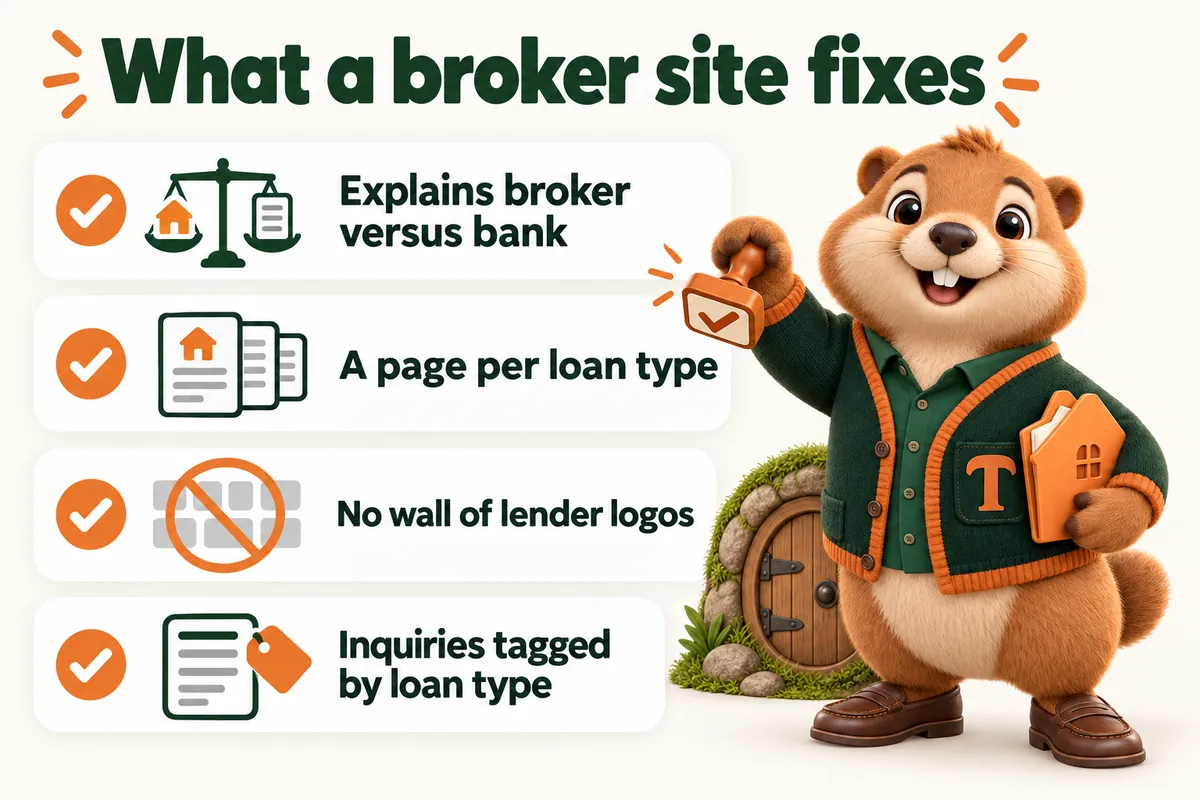
- Borrowers do not understand the difference between a broker and a bank, and your site does not explain it.
- You place loans with a dozen lenders but the site lists three generic programs.
- Lender logos on the home page make the site look like an aggregator rather than a business.
- The inquiry form lands in an inbox and follow-up depends on who checks it.
The pages your site will carry
8 pages at launch, each with the same disclosure block, identifiers and application path.
- Home
- Why work with a broker
- One page per loan type you place
- Payment estimator
- Meet the team, with NMLS identifiers
- How the process works
- For real estate agents and builders
- Contact and apply
Payment estimator with program selection
The borrower chooses the kind of loan they are exploring, enters a purchase price, down payment and term, and optionally a rate you publish. The illustrative figure is labeled as an estimate and not a quote, offer or pre-approval. The inquiry arrives in your CRM tagged with the loan type so the right person picks it up.
Every figure the estimator shows is illustrative. It is never a quote, an offer, a rate lock, an approval or a statement of eligibility. The wording and the disclosures are approved by your compliance team before launch.
What clients say the site changed
“If you only look at the design you miss the best bit, which is the inquiry form. It collects purchase or refinance goal, property state and callback time up front, so the back-and-forth we used to do by reply has largely gone. It has quietly removed the slowest step in our intake.”
What they got: Inquiry form and response workflow for home loan consultations
“Before this, sending our home loan consultations form felt like posting a letter into the dark. Submitters now see exactly what we will do with their request and when to expect us. It is a small corner of the site that makes the whole process feel finished.”
What they got: Submission acknowledgment and follow-up for home loan consultations
“We used to forward home loan consultations emails around and hope somebody had replied. Now each request has a named owner and enough detail for a colleague to cover it. Duplicate replies and orphaned messages have both quietly ended.”
What they got: Inquiry assignment and staff handover for home loan consultations
Related case studies
Client projects closest to this kind of mortgage business, with what we built and how long it took.
- Answers about home loan consultations, written down onceFor home loan consultations, the FAQ now serves visitors and staff as the same reference.
- Sharper boundaries around home loan consultationsWhen it comes to home loan consultations, expectations now match the process before the first conversation.
- Turning the home loan consultations document into usable pagesWith home loan consultations, people can read the relevant section on screen, and staff can link straight to it.
Questions from mortgage brokers
Every question, groupedCan the site list the lenders we work with?
Yes, where your agreements with those lenders allow it and your compliance team approves the wording. We generally recommend a plain sentence about the number and kinds of lenders you work with over a wall of logos, because logos make a broker site read as a comparison portal.
How do we handle state licensing on the site?
The footer and every profile carry your company and individual NMLS identifiers and a licensing line per state, in the wording your compliance team supplies. Adding a state later is a standard revision.
Can each broker in the shop have a profile?
Yes. Every licensed originator gets a profile page with their identifier, their focus and their own application link. On the Branch and Enterprise plans that structure scales to as many people as you have.
Do you write the program pages or do we?
We write them from an onboarding call and the material you already have, in plain language that describes the program without advertising terms. You and your compliance team review before launch, and changes afterwards are revisions.
Can the site handle more than one brand?
If you trade under more than one name, tell us at onboarding. In most cases the cleaner answer is one site with clear sections rather than two thin sites competing with each other for the same searches, and we will explain which applies to your situation rather than selling you two of something.
How do we handle a lender we stop working with?
As a revision. The program pages that referenced them are updated, any lender-specific wording is removed and the page keeps its URL so nothing that was ranking is lost. Inside the standard turnaround, and prioritized if compliance has asked for it.
Do you write the comparison content, or is that our compliance risk?
We write it, and it is written to describe how the broker model works rather than to claim an outcome. Nothing on your site will say a broker gets a better rate, a faster approval or a higher chance of qualifying, because those are claims about outcomes. Your compliance team approves every word before launch.
Can our processors and support staff have pages too?
Yes, and it is often worth it. A borrower who has been handed to a processor is reassured by finding a real person rather than a name in an email signature. Non-originating staff get a profile without an identifier or an application link, in the same structure, so the team reads as one business.
See it built for brokers
A live walk-through, on your screen, of the site you would get. Then you know the plan, the launch date and what we need from you.
Book a demo