Migrating a mortgage website without losing the rankings you have
A redirect-first plan for moving a mortgage website: inventory, URL mapping, redirects, structured data, and what to watch in the weeks after the switch.
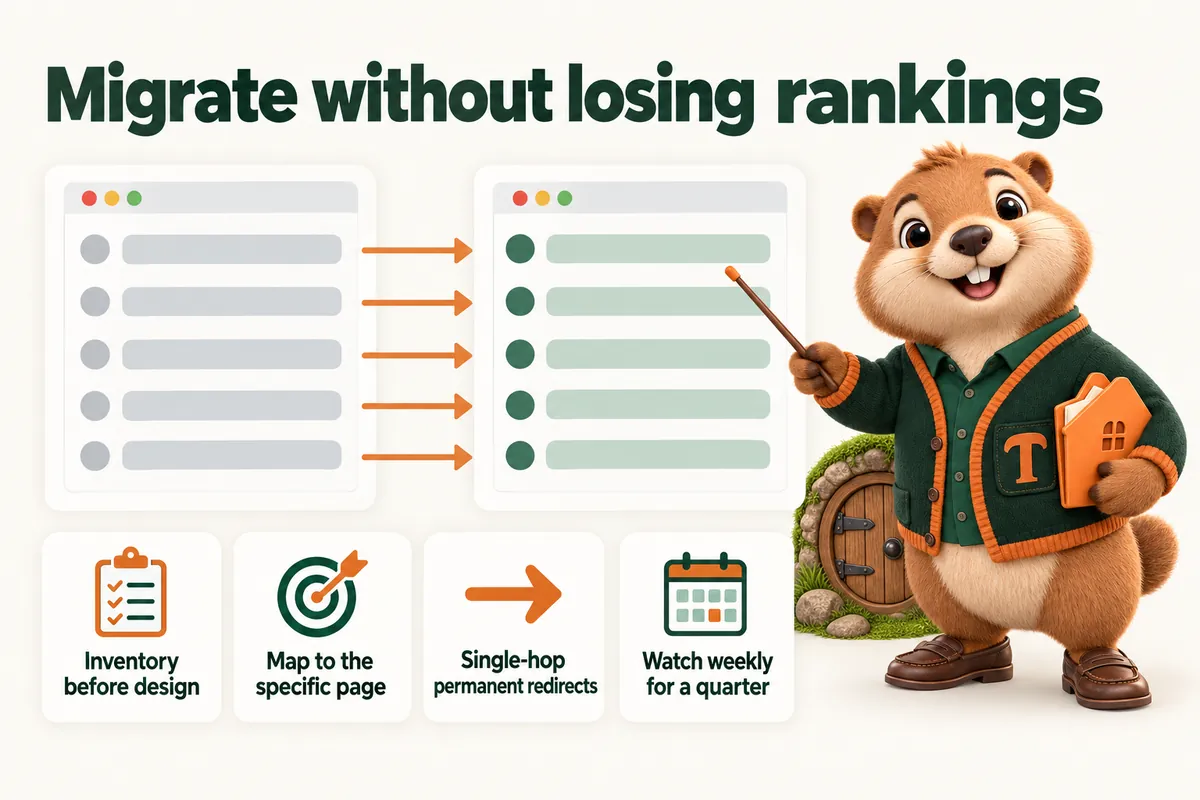
A mortgage website migration is a redirect project with a design attached. The rankings, the traffic and the inbound links belong to addresses, and the single question that decides whether a rebuild goes well is whether every address that was live still resolves to the right thing afterwards. Everything else, the new design, the faster pages, the better structure, is upside that only arrives if that question was answered before launch rather than after.
This article is the plan we follow: inventory, mapping, redirects, the technical checks, the launch itself, and the weeks afterwards. It is written for branches and companies moving an existing estate, and it applies just as well to a single originator moving off a corporate template.
It is about websites. Nothing here is lending, licensing or financial advice, and the compliance side of a move, disclosures, identifiers, anything approved for the old site, has to be re-approved for the new one by the people who own that.
Before anything is designed: the inventory
You cannot protect what you have not listed, and almost every estate contains pages the people running it have forgotten.
Every live address. From the old site’s own sitemap, from the server, from a crawl, and from search analytics. Use more than one source, because each misses something different. The sitemap misses pages nobody linked; the crawl misses orphans; analytics misses pages with no traffic but real links.
What each page is. Home, program, profile, location, article, legal, campaign, junk. Deciding the type is what makes the mapping possible.
What is worth keeping. A page with traffic, links or rankings is worth keeping. A page with none of those, and nothing useful on it, is a candidate for retirement, and retiring it deliberately is very different from letting it break.
What links in. At minimum, the pages that other sites point at. Those links are the asset most easily lost and the hardest to get back.
What is indexed. What a search engine actually holds for the site, which is often not what the sitemap claims.
At the end of this you have a spreadsheet. It is not glamorous and it is the whole project.
The mapping
One row per old address, one destination each, decided before a single page is built.
Same address where sensible. If the old site had a clean, descriptive address for a page that still exists, keep it. No redirect, no loss, no risk.
Most specific destination otherwise. A program page maps to the new program page. A profile maps to the new profile. A city page maps to the new city page. Where the new site genuinely has no equivalent, map to the nearest parent, for example a retired program to the programs index, and only ever to the home page when nothing else is remotely related.
Decide about query strings and old identifiers. Sites built on older systems often carry addresses full of parameters or numbers. These should be mapped like any other address; the fact that they are ugly does not mean they carry no value.
Watch for two old pages becoming one. Consolidation is normal in a rebuild. Both old addresses redirect to the single new page, and the new page has to genuinely cover both topics or you have merged away something people were reading.
Flag anything you are unsure about. Unsure means keep the address alive pointing somewhere sensible. Reversing a redirect later is easy; recovering a link that started returning an error six months ago is not.
Redirects that work
Permanent, not temporary. A permanent redirect is the signal that the move is the new state of affairs, and Google’s guidance treats the different redirect types as different signals.
One hop. Old address to new address. Not old to intermediate to new. Chains accumulate during a project as decisions change, and they are worth flattening before launch.
Consistent on the details. Whether the site uses a trailing slash or not, whether it uses the www prefix or not, whether it uses https, all of these should resolve one way, with everything else redirecting to it once. A surprising amount of migration mess is four versions of the same page all resolving.
Tested as a list. Not a spot check. Take the mapping spreadsheet, request every old address, record the status and the final destination, and compare against the intended destination. Any row that does not match is a defect to fix before launch.
Kept. Redirects are not temporary scaffolding. Leave them in place indefinitely; they cost nothing and they are what keeps an old link from an agent’s website working in three years.
The pattern to avoid
Mapping everything to the home page is the most common shortcut and the most damaging one. It is one rule instead of two hundred rows, and it throws away every piece of specific relevance the old site earned. It also produces a bad experience: someone clicks a link about a specific program and lands on a generic page, which usually ends with them going back rather than searching your site.
The technical checks that belong to the migration
Canonicals. Every page on the new site should declare its own address as canonical, and the canonical should match the address that is actually served, including the trailing slash decision. A canonical pointing at an address that redirects is a small contradiction that causes disproportionate confusion.
The sitemap. Generated from the new site, listing only pages that return successfully and are not blocked. Submitted after launch. A sitemap listing old addresses is worse than none.
Robots rules. The most expensive migration failure is shipping the staging rule that blocks everything. Check it on launch day, then check it again the next morning.
Structured data. Whatever the old site emitted that was correct should exist on the new one, and it should match the visible page. Local business data for branch pages, article data for posts, breadcrumbs where there are breadcrumbs. This is a good moment to remove anything the old site emitted that it should not have.
Internal links. After launch, no internal link should go through a redirect. The redirects exist for outside links and old bookmarks, not as internal plumbing. A crawl of the new site should find zero internal redirects.
Images and documents. Rate sheets, brochures, anything downloadable that was linked from elsewhere. These get forgotten because they are not pages, and they are often the things agents link to.
Speed. A rebuild is the one chance to fix this properly. Page experience is part of how Google assesses pages, and a mortgage site is nearly always opened on a phone. If the new site is not faster than the old one, something has gone wrong in the build.
Launch
Pick a quiet day. Not a Friday, not the day before a holiday, not the week of a rate event that will have people on the phone.
Have the old site recoverable. A snapshot you can put back. You will almost certainly not need it, and the one time you do, it is the difference between an hour and a week.
Run the redirect test immediately. The full list, against the live site, within the first hour.
Check the essentials by hand. Home, one program page, one profile, one location page, one legal page, the contact form, the estimator, an apply link. Each on a phone and on a laptop.
Submit the sitemap. And request indexing for the handful of pages that matter most.
Tell the people who link to you. Agents, the lender, directories, any professional listing. Redirects will carry them, but updated links are better.
Staging, and who gets to see it
Every migration needs somewhere to build, and the staging site is responsible for two of the three most damaging migration accidents.
It gets indexed. A staging copy that search engines can reach becomes a duplicate of your site, and occasionally outranks it. Staging must be behind a password, not merely behind a robots rule, because a robots rule is a request and a password is not.
Its rules ship to production. The block that kept staging out of search goes live with the launch. This is common enough that it deserves its own line on the launch list, checked on the live site, by someone who did not write it.
It becomes the reference nobody updates. Once the new site is live, staging should be reset or retired. A stale staging site is where somebody eventually makes a change that never reaches production.
Give a small named group access, and give compliance access early rather than at the end. A compliance review conducted on a password-protected staging site a fortnight before launch is a calm review. The same review on launch morning is not.
Content freeze
Agree a date after which the old site stops changing. Usually a week before launch is enough.
Without one, the last fortnight produces pages added to the old site that were never in the inventory, never mapped and never built on the new one. They are the pages that break on launch day, and they break precisely because they were the most recent and therefore the most likely to matter.
If something genuinely urgent has to be published during the freeze, publish it on both, or publish it on the new site and hold it. What must not happen is a page appearing on the old site that nobody building the new one knows about.
The weeks after
Migration damage is nearly always visible early and nearly always fixable. What kills a migration is nobody looking for a quarter.
Week one, daily: errors reported by the search console, unexpected pages appearing, form submissions arriving. Fix errors the same day.
Weeks two to four, weekly: coverage, the pages that are indexed, the queries that changed. Compare against the old property.
Month two and three, weekly: traffic to the pages that mattered most. A page that has genuinely dropped will usually show a clear break rather than a drift.
Any time a page disappears: check the redirect, the canonical, whether it is in the sitemap and whether it is blocked. In that order. One of those four is the answer almost every time.
Resist the urge to change things in the first fortnight. A migration has moving parts settling, and editing pages while they settle makes it impossible to tell what caused what. Fix genuine errors immediately and leave the rest alone.
Two things worth doing differently in a rebuild
A migration is the only easy opportunity you will get to fix structure, so take it.
Split the combined pages. The single “loan programs” page becomes one page per program. The single “our team” page becomes profiles. These are exactly the changes that need redirect planning and exactly the changes nobody ever makes outside a rebuild.
Move the content into records. People, branches, programs. If the new site generates profiles and location pages from records, the estate stops drifting from the day it launches. Doing this during a migration costs very little extra; doing it afterwards is a second project.
Migrating off a corporate template
An originator leaving a lender’s template page for their own site has a smaller version of the same problem and one extra complication: they usually do not control the old address.
You will not get a redirect. Assume the corporate page stays, or disappears, and that you have no say either way. Plan as though the old address is simply gone.
Take your content with you before you need to. Anything you wrote, any photographs you paid for, any articles under your name. Export them while you still have access.
Rebuild the specific pages, not a copy of the template. The corporate page was written to rank for the lender. Your site should be written to rank for you, which means your name, your programs and your area, and that is a different set of pages rather than the same pages reworded.
Tell the people who linked to the old page. Agents, past clients, any directory listing. This is the manual part that cannot be automated and it is the part that matters most, because those links are your actual traffic.
Expect to start from very little. A new address has no history, and a realistic plan is months of steady publishing rather than a switch being flipped. The upside is that everything you build from then on is yours and moves with you the next time.
What a migration cannot fix
It is worth being straight about this, because a redesign is often sold as the answer to a problem it cannot touch.
A site can be rebuilt perfectly and still produce nothing if inquiries are not followed up, if the programs on offer are not what the market wants, or if nobody in the area has heard of the business. A migration protects what exists and removes obstacles. It does not create demand.
Rankings that were never there do not come back. If the old site ranked for nothing, a migration will not change that on its own; the new pages have to earn it, which takes writing and time.
A fast site does not fix a slow reply. The most common reason a mortgage website appears not to work is that inquiries arrive and sit. That is worth checking before spending anything on a rebuild.
The honest version of the pitch is narrower and more defensible: a migration done properly keeps everything you have, makes the site faster and easier to maintain, and puts the structure in place so that the work you do afterwards compounds instead of leaking away.
What to ask whoever is doing the migration
Show me the mapping. If there is no spreadsheet with one row per old address, the migration is being done on hope.
How will redirects be tested? The answer should involve running the whole list, not clicking a few.
What happens to pages we are retiring? “They will return an error” is acceptable for genuine junk with nothing pointing at it, and unacceptable for anything else.
Who checks the compliance block on the new site, and when? The answer should be a named person from compliance, before launch.
What does the first month look like? If the plan ends at launch day, the plan is missing the part where problems are found.
For the structure a branch estate should land on, a branch website that ranks in its own city covers records, profiles and location pages, and the compliance block covers the piece that has to be re-approved before the new site goes live.
Sources
Frequently asked questions
Will a website redesign lose our search rankings?
It can, and the usual cause is addresses changing without redirects rather than the design itself. Every page that was live and had links or rankings needs either the same address on the new site or a permanent redirect to the page that replaces it. A migration planned redirect-first usually holds its position; a migration where the redirect list was written afterwards usually does not.
Should we keep the same URLs when we rebuild?
Where they are sensible, yes, because an unchanged address is better than any redirect. Change them where the old structure is genuinely wrong, for example where every program lives under a query string or a numeric identifier, and then map every old address to a new one before launch.
How long does it take for search to settle after a migration?
Google does not publish a fixed period and it varies with the size of the site and how often it is crawled, so treat any specific promise with suspicion. What you can control is that the redirects are permanent and correct, the sitemap is submitted, and nothing important is blocked, then watch coverage and traffic weekly rather than daily.
What is the most common migration mistake on a mortgage site?
Redirecting everything to the home page. It is the fastest way to write a redirect rule and it throws away the specific relevance of every page that had any. A borrower who clicks a link about a renovation program should land on the renovation program page, not on a home page that leaves them to search again.
Do we need to tell anyone the site has moved?
Search engines work it out from the redirects and the sitemap, but the people who link to you will not. If agents, a lender, directories or a professional body carry links to specific pages, ask the important ones to update. Redirects will carry the traffic either way; updated links are simply better and they protect you if a redirect is ever removed.
Want a site like the one described here? Book a demo with MortgageWebStudio.