Where mortgage inquiries go: wiring a website to your CRM and LOS
The path an inquiry takes from a mortgage website into your CRM or LOS, the five places it commonly gets lost, and how to test that the path still works.
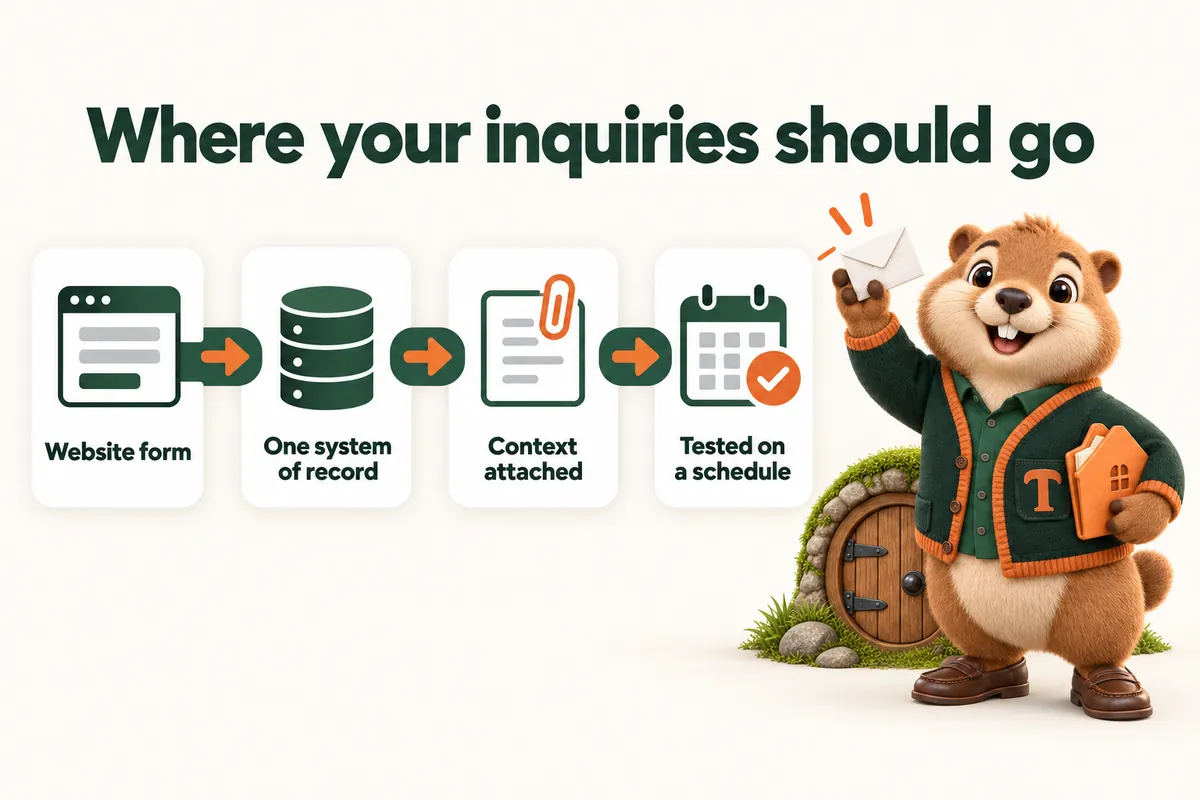
An inquiry from a mortgage website should end in exactly one place: the system where you actually do the work, with enough context attached that the first conversation starts further along than it otherwise would. Most mortgage sites fail at this, and they fail quietly. The form submits, a confirmation appears, and the record ends up in an inbox nobody treats as a queue, or nowhere at all.
This article is about the path between the page and your system. It is written for loan officers, brokers and branch managers who already have a website and are not sure whether it is losing people, and it is deliberately practical: the five places inquiries go missing, how to close each one, and how to prove the path still works six months after launch.
It is about websites and lead handling. It is not lending, licensing or financial advice, and nothing here is a view on what your application should collect. That is a matter for your lender, your vendor and your compliance team.
The two paths, and why they are different
Every mortgage website has exactly two ways a person can start something, and confusing them is the root of most of the trouble.
The inquiry path is for someone who wants to talk. A short form, a phone number, an email link. What it collects is contact and context: who they are, roughly what they want, where they were on the site when they decided to ask. It is low commitment and it should feel that way.
The application path is for someone who is ready to start a file. It leads out of the marketing site into the application your lender or point-of-sale vendor hosts. It collects what an application collects, in software built for that, with the audit trail and the security that implies.
The failure mode is a site that tries to merge them. A long form on the marketing site asking for income and assets is neither: too heavy to be an inquiry, too light and too unprotected to be an application. It scares off the people who only wanted to ask a question and it collects sensitive information in the wrong place.
Keep them separate, make both obvious, and let the borrower choose which one they are ready for.
Where inquiries get lost
1. The form that posts nowhere
More common than it should be. A form built by a previous agency points at an endpoint that no longer exists, or at an email address belonging to someone who left. The page shows a thank you either way, because the confirmation is usually a redirect that happens regardless of what the server did.
This is the single most expensive defect a mortgage website can have and it is invisible from the outside. The only way to find it is to submit the live form yourself and go looking for the result.
2. The inbox that is not a queue
The form works, the email arrives, and it lands in a general inbox alongside newsletters and vendor mail. Some get actioned. Some get read on a phone at a bad moment and forgotten. Nobody can say afterwards how many there were, because there is no list.
An inbox is not a system of record. It has no status, no owner, no follow-up and no history. If the inquiry does not create a record in the system where you track work, it is not captured, it is just visible for a while.
3. The context that never makes it
The record is created, but it holds a name, an email and a message. Everything that made a website inquiry better than a cold contact has been thrown away: which page they were reading, which program they were asking about, what they entered in the estimator, when, and how they found you.
This is almost always a mapping problem rather than a technical limit. The fields exist in the form and nobody connected them to fields in the destination, so they are dropped at the boundary.
4. The apply link that loses the originator
The borrower clicks apply, lands in the lender’s application and is now in a general queue rather than in your file, because the link did not carry your identifier. Depending on the vendor this can mean a reassignment, a delay or a borrower answering “who is your loan officer” with a guess.
Where a vendor supports carrying an originator identifier or a program into the application, use it, on every apply link, generated from one place so it cannot drift.
5. The path that breaks later
Everything worked at launch. Eight months on, a vendor rotated an endpoint, a key expired, a plugin updated, a domain changed. Inquiries stop arriving. Nobody notices, because the symptom of a broken integration is silence, and silence looks exactly like a slow month.
Building the path properly
Decide the system of record first
Before any of the wiring, answer one question: where does an inquiry live? For most originators it is a customer relationship system. For some branches it is the loan origination system. For a small shop it might be a shared pipeline tool. The answer matters less than there being one answer.
Everything else follows. Notifications, dashboards, reports: all of those are views onto the record. If two systems both claim to be the record, you will eventually have two versions of a borrower and no way to tell which is current.
Map every field, including the invisible ones
Write down what the form collects, write down what the destination stores, and draw the lines. Where the destination has no field for something, create one or put it in the notes, but do not silently drop it.
The invisible fields matter as much as the visible ones. The page the inquiry came from. The program, if the page had one. The estimator inputs and the figure shown. The time. The source, if you track where visitors arrive from. None of these are typed by the borrower, and all of them are the reason a website inquiry is worth more than a list.
Prefer a direct integration, accept a bridge, avoid a person
A direct connection to your system’s own interface is the most reliable path: fewest moving parts, clearest errors. A bridging tool of the kind that connects services together is a reasonable second choice and adds a place things can pause. A path that depends on someone copying details from an email into a system is not an integration, it is a habit, and habits end on holidays.
Make failure loud
The important design decision in any integration is what happens when it fails. A submission that cannot reach the destination should not vanish. It should be retried, and if it still cannot get there, someone should be told, in a way they will see.
If your stack cannot do that, the fallback is a second delivery path used only as a safety net, plus the scheduled test below. What is not acceptable is a path whose only failure signal is an empty pipeline.
Say what happens next, and mean it
The confirmation page is part of the integration. It should say who will reply, roughly when, and what to do if they do not hear back. That last part is not defensive, it is practical: it gives a borrower whose message went astray a way to try again instead of quietly deciding you are unresponsive.
If the message was composed in the borrower’s own mail client rather than posted to a server, say so plainly and give them the address, so nothing depends on a mail app that may not have opened.
What the inquiry form should actually ask
A marketing form is a conversation opener, not an intake. The temptation is always to ask one more thing, and every extra field costs you people who were only mildly curious, which on a mortgage site is most of them.
Name. One field, not two. Nobody has ever failed to follow up because a first and last name arrived in the same box.
Email. Required, because it is the only channel that reliably works for both of you.
Phone. Optional, with a line saying you only call if they ask. Making it optional gets you more of them than making it required, because the people who leave rather than give a number were never going to answer it.
One open question. “What would you like the website to do” for a business enquiry, “what are you trying to work out” for a borrower. An open box gets you the thing you could not have anticipated, and it is the field that makes the first reply useful.
Nothing financial. No income, no assets, no credit self-assessment, no social security number, not on a marketing form. That belongs in the application, in software built for it. A marketing site that collects it has taken on a duty of care it is not equipped for, and a borrower who is asked for it too early will often just close the tab.
The fields nobody types
Alongside what the borrower fills in, attach what the page already knows. The URL. The page title. The program, if the page has one. The referring source, if you track it. The time. The estimator scenario, if there was one.
These cost the borrower nothing and they are the reason the first call can open with something specific. They are also the first thing dropped when a form is rebuilt, so write them into the mapping document and check them in the monthly test.
Notifications: useful, and not the record
There is nothing wrong with an email landing in your phone the moment an inquiry arrives. It is often how a fast reply happens, and a fast reply is worth a great deal.
The rule is only that the notification must not be the only artefact. Notification plus record is a good system. Notification alone is how a mortgage business ends a quarter unable to say how many inquiries it received, which is also how it ends up unable to tell whether the website is working.
Where several people could respond, decide in advance who owns the first reply and say so in the notification. A shared alert with no owner produces either three replies or none, and both are worse than one.
What to do about inquiries that arrive outside hours
Most mortgage website inquiries arrive in the evening, because that is when people deal with their own paperwork. The website cannot answer them, and pretending otherwise with an automated message written in the first person is worse than being straightforward.
Two things help. Say on the confirmation what your actual hours are and when they can expect a reply, so the wait is expected rather than interpreted as neglect. And put the most useful next thing in front of them while they wait: the program page for what they asked about, the estimator, the page that answers the question they probably have next. A borrower who reads for ten minutes while waiting is a borrower who arrives at the call already informed.
The application handoff
The handoff out of the marketing site is where a surprising number of otherwise good mortgage sites lose people, and it is a design problem more than a technical one.
Set expectations before the click. One sentence saying what the application is, roughly how long it takes and that it can be saved and resumed if the vendor supports it. A borrower who clicks apply expecting a form and finds a twenty minute process with document uploads will abandon it, and the abandonment gets blamed on the application when it was caused by the link.
Carry your identity through. Originator identifier, branch, program where supported. Test that it actually arrives by starting an application yourself and checking which file it lands in.
Do not lose the design completely. Where the vendor allows branding, use it, so the borrower does not feel handed to a stranger. Where it does not, tell them beforehand that the application is hosted by the lender, so the change of appearance is expected rather than alarming.
Keep the door open. Not everyone who clicks apply will finish. Somewhere near the application link, offer the lower-commitment option: ask a question, book a call. The borrower who is not ready should have somewhere to go that is not the back button.
Proving the path still works
Integrations rot. The only defense is a small, boring routine that someone owns.
Monthly, submit a live inquiry. Through the real form, on the real site, as a borrower would. Confirm the record arrives in the system of record with every field mapped. Note the date.
Monthly, run the estimator and submit. Same check, different path, because the estimator usually posts through different plumbing than the contact form.
Monthly, start an application from an apply link. Confirm it lands in the right file with the right originator attached. Abandon it afterwards if your vendor allows test files to be cleaned up.
Quarterly, review the mapping. Systems gain fields. A form that has been collecting something for three months into a field nobody reads is a small waste that compounds.
After every change, retest. A new form, a new page, a vendor update, a domain move. Any of these can break the path, and all of them are cheap to verify the same day.
Two questions worth asking your vendors
When someone uses this, who receives the name? Ask it of every embedded tool on the site: calculators, chat widgets, review tools, scheduling tools. The answer is not always you, and it is rarely on the pricing page.
What happens when your service is down? A tool that fails closed and tells you is fine. A tool that fails silently and drops submissions is a liability, and the time to find out which one you have is before you depend on it.
Where this leaves you
The inquiry path is not glamorous work. It is mapping, testing and a small monthly routine, and it is the difference between a website that produces conversations and a website that produces traffic. Most mortgage sites that “do not generate leads” are generating them and losing them somewhere in the five places above.
For the page-level work that fills this path, loan program pages covers the pages borrowers read before they ask, and the payment estimator that keeps the lead covers the tool that most often starts the conversation.
Sources
Frequently asked questions
Should a mortgage website host the application itself?
No. The application belongs in the loan origination system or point-of-sale tool your lender already runs, because that is the software built to collect it, secure it and keep the record. The marketing site should hand a comfortable, informed borrower into that application with your identifier attached, not rebuild it.
Where should a website inquiry land?
In the system where the work happens, which for most originators is a customer relationship system, and in exactly one place. An inquiry that lands in an inbox is a copy, not a record, and copies are the ones nobody follows up. Email notification alongside the record is fine. Email as the record is how inquiries disappear.
How do I know the integration is still working?
Test it, on a schedule, and keep the evidence. Submit a real inquiry through the live form once a month and confirm it arrives with every field intact. Integrations break quietly when a vendor changes an endpoint or a key expires, and the symptom is silence, which looks exactly like a slow month.
What should be sent with an inquiry besides name and email?
The page it came from, the fields the visitor filled in, anything they entered in a tool such as an estimator, the time, and where they arrived from. Without that context the first call starts from nothing, which wastes the one advantage a website inquiry has over a cold contact.
Is a form on the marketing site a compliance risk?
It can be, depending on what it asks for. A short contact form asking how to help is a very different object from a form collecting financial details, which belongs in the regulated application. Keep marketing forms to contact and context, and let the application collect what an application should collect.
Want a site like the one described here? Book a demo with MortgageWebStudio.